Understanding the Kubernetes Resource Model (KRM) and Using YAML Effectively
- Nishadil
- November 07, 2026
- 0 Comments
- 4 minutes read
- 6 Views
- Save
- Follow Topic
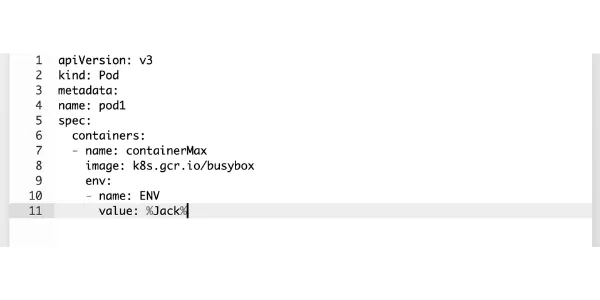
A hands‑on guide to KRM basics, manifest structure, and best‑practice YAML workflows
Learn how the Kubernetes Resource Model organizes cluster objects and how to craft, apply, and manage YAML manifests for Pods, Deployments, Services, and more.
Kubernetes talks about a “resource model” all the time, but what does that really mean? In plain words, the KRM is just a tidy way of describing every object that lives inside a cluster – Pods, Deployments, Services, Secrets, you name it. Each object follows the same three‑part pattern: a type, some metadata, and a spec that tells the system what you want it to look like.
The API server is the gatekeeper. Whenever you send a request – whether you’re creating a new Deployment or tweaking a ConfigMap – the server validates the payload and stores the desired state. Controllers then work behind the scenes, nudging the actual cluster state toward that desired state. That’s the whole “declarative” dance Kubernetes is famous for.
What a typical manifest looks like
Most YAML files you’ll write for Kubernetes boil down to four top‑level keys:
apiVersion– which version of the API you’re targeting (for example,v1orapps/v1).kind– the kind of object, such asPodorDeployment.metadata– human‑readable info like name, namespace, labels, and annotations.spec– the actual configuration that tells Kubernetes how the object should behave.
Here’s a tiny example that creates a single‑container Pod running NGINX:
apiVersion: v1
kind: Pod
metadata:
  name: nginx-pod
spec:
  containers:
  - name: nginx
    image: nginx:1.27
    ports:
    - containerPort: 80
Save that snippet as pod.yaml and you’ve got a complete, version‑controlled description of the Pod.
Why YAML?
YAML (which stands for “YAML Ain’t Markup Language”) is deliberately human‑friendly. It relies on indentation to show hierarchy, key‑value pairs for properties, and lists for things like containers or ports. The format is lightweight, easy to read in a diff, and works side‑by‑side with JSON – Kubernetes will accept either.
From file to cluster
Creating the object is as simple as running:
kubectl apply -f pod.yaml
The -f flag tells kubectl where to find the manifest. After that, you can verify what happened with a few handy commands:
kubectl get pods               # list pods in the current namespace
kubectl describe pod nginx-pod # detailed view with events
kubectl get pod nginx-pod -o yaml # dump the live object back to YAML
Seeing the live configuration can be reassuring, especially when you’re troubleshooting.
Common resources you’ll meet
While the Pod example is the simplest, the same pattern applies to all the built‑in objects:
- Deployment – manages replica sets and rolling updates.
- Service – gives a stable IP/DNS name to a group of Pods.
- ConfigMap – stores non‑secret configuration data.
- Secret – holds sensitive data, encrypted at rest.
- PersistentVolumeClaim – asks the cluster for storage.
Each has its own required fields, but they all share the apiVersion/kind/metadata/spec skeleton.
Declarative vs. imperative
You can tell Kubernetes “do this now” with commands like kubectl run or kubectl create – that’s the imperative style. It’s handy for quick tests, but you lose the audit trail that a version‑controlled YAML file gives you.
Declarative management, on the other hand, means you store the desired state in a manifest and let kubectl apply reconcile it. This approach plays nicely with Git, enables kubectl diff for previewing changes, and makes roll‑backs a breeze.
Updating and deleting resources
Want to tweak something? Edit the same .yaml file and run kubectl apply -f pod.yaml again. You can even see what will change before you push it:
kubectl diff -f pod.yaml
To remove the object, just point kubectl delete at the manifest:
kubectl delete -f pod.yaml
Keep in mind that a few fields (like a Service’s clusterIP) are immutable – you’ll need to delete and recreate the object to alter them.
Best‑practice tips
- Keep manifests small and focused – one file per logical resource.
- Use labels consistently; they’re the glue for selectors and help with queries.
- Version‑control every
.yamlfile; treat them as code. - Run
kubectl apply --dry-run=clientbefore committing changes. - Leverage
kustomizeor Helm for templating when you need reusable patterns.
With those habits, your Kubernetes configurations stay readable, reproducible, and, most importantly, human‑friendly.
- India
- News
- Technology
- TechnologyNews
- Commerce
- Upsc
- Mathematics
- School
- K12
- AndroidDevelopment
- Tutorial
- Programming
- Java
- DataScience
- Kubernetes
- Nodejs
- Service
- Cbse
- Python
- Deployment
- Javascript
- SystemDesign
- Php
- Aptitude
- Secret
- Placement
- CompetitiveProgramming
- CodingContests
- Krm
- YamlManifests
- Kubectl
- Pod
- Configmap
Editorial note: Nishadil may use AI assistance for news drafting and formatting. Readers can report issues from this page, and material corrections are reviewed under our editorial standards.