Tired of Basic Workouts? WatchFit Might Just Be Your Apple Watch's New Best Friend
- Nishadil
- February 08, 2026
- 0 Comments
- 3 minutes read
- 43 Views
- Save
- Follow Topic
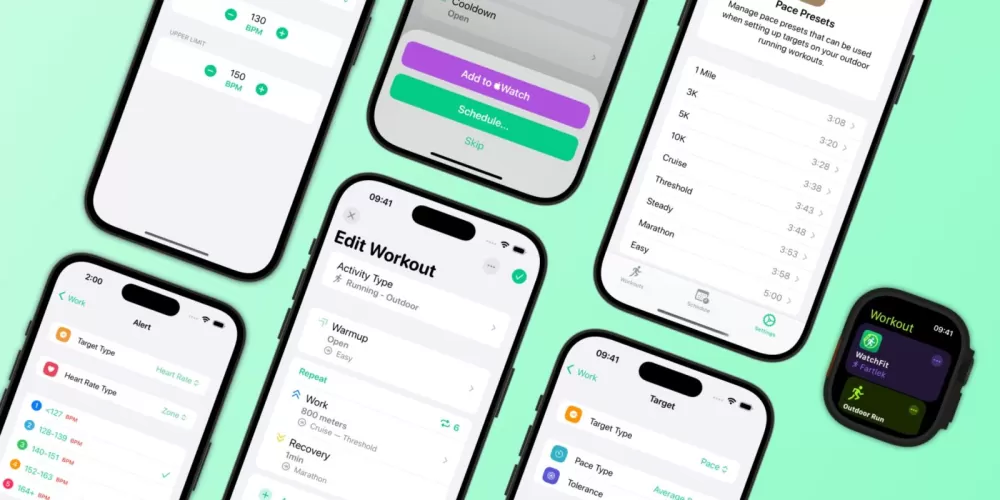
WatchFit: The Indie App Giving Your Apple Watch the Custom Workout Power It Deserves
Discover WatchFit, the brilliant indie app for Apple Watch that finally lets you build truly custom, phone-free workouts right from your wrist, solving a common fitness frustration.
Let's be honest, for all its brilliance, the Apple Watch's native Workout app can feel a little... restrictive, especially if you’re into structured training. You want to craft a specific routine – maybe some reps, followed by a timed rest, then another set, all without needing your iPhone glued to your hip. Sound familiar? Well, a fantastic indie app called WatchFit is here to shake things up, offering a deeply customizable workout experience right on your wrist.
Created by the talented solo developer Andreas Babel, WatchFit steps in where Apple’s default offering often falls short. Many of us crave the ability to meticulously plan our workouts, detailing everything from sets and reps to specific rest periods between exercises. The frustrating part? Most third-party workout apps demand your phone to be nearby, completely defeating the purpose of a standalone Watch experience. WatchFit tackles this head-on, empowering you to build, manage, and execute complex routines directly from your Apple Watch, phone-free.
So, what makes WatchFit so special? It's all about control. Imagine being able to design a workout sequence precisely how you want it. You can define exercises based on time, reps, distance, or even specific custom weights. Want to do three sets of ten push-ups, rest for 60 seconds, then move onto a two-minute plank? WatchFit handles it with ease. The app allows you to arrange exercises effortlessly, duplicating steps or rearranging them with simple taps, which is a massive time-saver when you're crafting that perfect session.
Beyond individual exercise customization, WatchFit also comes packed with over 250 pre-defined exercises, giving you a solid foundation to start building from. But if that’s not enough, premium users can even add their own custom exercises – a really neat touch for niche activities or specific movements. And for those days when you need a quick start, there are handy workout templates to get you going without having to build from scratch.
The magic truly happens on the Apple Watch itself. Once your workout is set, you can leave your iPhone behind. The WatchFit app on your wrist guides you through each step with clear instructions, helpful haptic feedback, and optional audio cues. It tracks your progress seamlessly, and yes, it integrates beautifully with Apple Health, ensuring all your hard-earned data contributes to your overall fitness picture. It’s genuinely a polished, self-contained experience that feels exactly like how a native workout app should feel.
While WatchFit offers a robust free tier to get you started, unlocking its full potential, like unlimited workouts, custom exercises, and detailed analytics, requires a premium subscription. The pricing is incredibly fair: you can opt for $0.99 per month, $8.99 annually, or a lifetime purchase for $19.99. Considering the freedom and functionality it provides, especially for a dedicated solo developer's effort, it feels like a steal. If you're an Apple Watch user who's ever felt limited by your workout options, WatchFit is absolutely worth checking out on the iOS App Store. It’s a testament to what thoughtful indie development can achieve.
Editorial note: Nishadil may use AI assistance for news drafting and formatting. Readers can report issues from this page, and material corrections are reviewed under our editorial standards.