Why Your Smart Speaker Keeps Misunderstanding You—and Simple Fixes
- Nishadil
- October 11, 2026
- 0 Comments
- 3 minutes read
- 28 Views
- Save
- Follow Topic
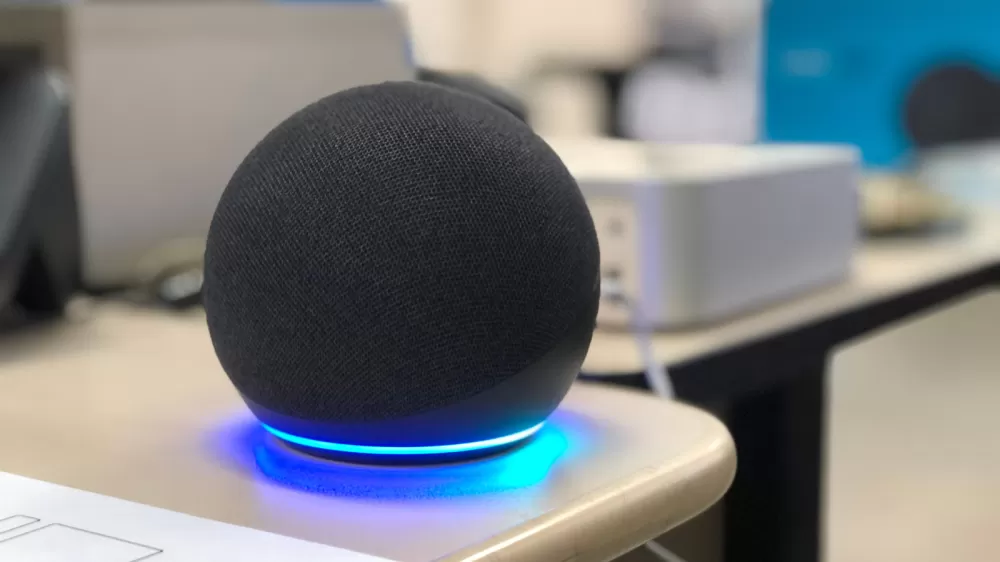
Smart speakers are handy, but they can mishear you. Here’s what to try.
If Alexa, Google Home, or HomePod seems to get your commands wrong, a few easy tweaks—cleaning, repositioning, voice‑ID setup, or a reset—can restore accuracy.
Let’s face it: when your smart speaker starts answering the wrong thing, it feels a little like the device is talking back. The frustration is real, especially if you rely on voice commands for everything from turning on the lights to ordering pizza. The good news? Most of the time the problem isn’t a hardware failure—it’s something you can adjust in a few minutes.
Start with the basics. Dust and grime can muffle the tiny microphones inside your device. Grab a dry, soft cloth and give the speaker a gentle wipe—no need for sprays or liquids. While you’re at it, glance around the room: is the speaker sitting right next to a fan, a TV, or a wall-mounted speaker? Background hum, echo‑ey walls, or being crammed into a corner can all throw off its ability to pick up your voice.
Try moving the unit at least a foot away from walls or other sound sources. If you have more than one speaker, place them a little farther apart; otherwise the wrong device might activate. Some models even let you dial down sensitivity in their companion apps—worth a look if the mic seems overly eager.
After you’ve shuffled things around, give a few commands a test run. Notice whether “Play jazz” now actually pulls up jazz instead of jazz‑hands tutorials. If it’s still acting up, double‑check that the command you’re giving is one the speaker can handle. Asking an Echo to control a HomeKit‑only light, for instance, won’t work.
Name your smart‑home gadgets wisely. When you rename a light or a plug, avoid vague titles like “Lamp” or “Fan.” Instead, use distinct names—“Kitchen Island Lamp” or “Bedroom Ceiling Fan.” Unique names keep the assistant from confusing one device for another, which is a surprisingly common source of misinterpretation.
Fine‑tune voice recognition. All three major platforms let you teach the assistant how you sound. On an Amazon Echo, open the Alexa app, head to More > Settings > Account Management > Your Profile > Voice ID, and follow the prompts. Google Home users can open the Google Home app, tap Settings > Google Assistant > Voice Match, and record a few phrases. Apple’s HomePod users should go to the Home app, tap the three‑dot menu, choose Home Settings > Your Profile, and enable “Recognize My Voice.” Once set up, the assistant can better differentiate you from other voices in the house.
If voice‑ID tweaks don’t cut it, a classic reboot often does the trick. Unplug the speaker, wait about a minute (give it a breather), then plug it back in. Should the issue persist and feel more like a software glitch, consider a factory reset—just remember this wipes all your custom routines and preferences, so it’s a last‑resort move.
In short, a clean speaker, a smart spot in the room, unique device names, and a quick voice‑ID calibration can turn a baffling misunderstanding into smooth, hands‑free living again.
Editorial note: Nishadil may use AI assistance for news drafting and formatting. Readers can report issues from this page, and material corrections are reviewed under our editorial standards.