Why Joining Ethernet Cables Isn’t the Best Idea (And What to Do Instead)
- Nishadil
- October 19, 2026
- 0 Comments
- 3 minutes read
- 10 Views
- Save
- Follow Topic
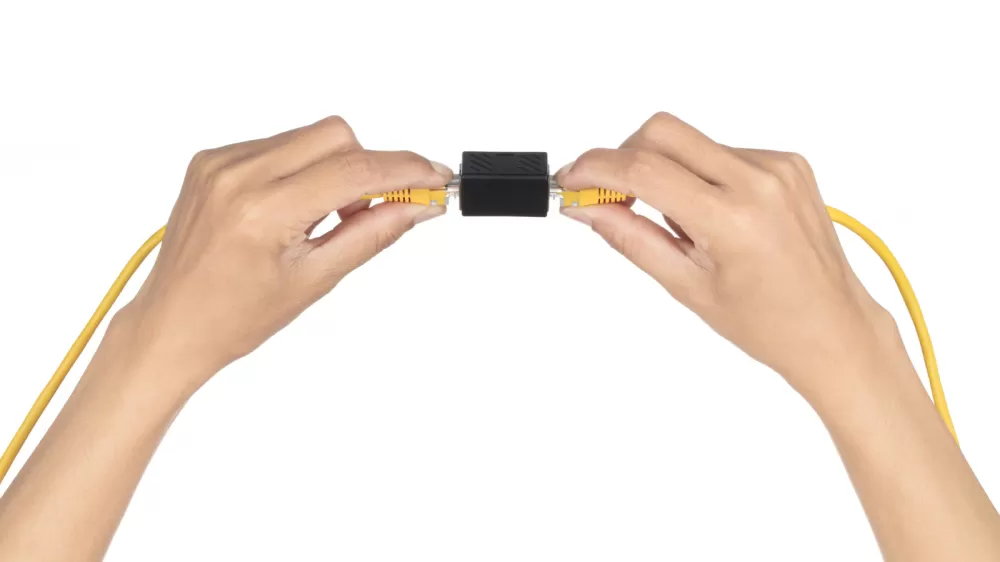
Why you might not want to join two Ethernet cables (and what to use instead)
Coupling two Ethernet cables may seem convenient, but extra joints can cause drop‑outs, limit speed, and breach the 100‑meter length rule. Learn safer alternatives like a longer run or a cheap network switch.
Picture this: you’ve nudged your desk a few feet and the neat Ethernet cord that once plugged your PC in now falls short. The first instinct is to grab a spare cable and an RJ‑45 coupler, click them together, and call it a day. After all, the adapter is tiny, cheap, and promises to keep your connection humming.
That optimism is understandable, but there’s a hidden downside. Every extra connection point is a potential failure spot. A well‑made coupler will usually work, but cheap ones—especially the kind that wobble when you bump the desk—can introduce intermittent dropouts, error‑corrupted packets, or even force the link to downgrade from 1 Gbps to 100 Mbps.
Beyond reliability, there’s the hard‑and‑fast rule about Ethernet length. The copper Ethernet standard caps the total channel at 328 feet (100 meters), including any patch cords. If you join two 200‑foot runs, you’ve already crossed that line, and the coupler won’t magically reset the limit. In practice, you’ll see more errors the longer the run and the more joins you add.
Engadget’s testing with Cat‑6 and Cat‑6A cables showed the same trend. Three couplers in a chain mostly passed a professional Fluke tester, though one was a borderline failure. Add a fourth, and the connection flunked. Those numbers aren’t universal—different cables and connectors will behave differently—but they illustrate why piling on joins is a bad habit.
So, what’s the smarter move? If you only need a single device, the simplest fix is a longer cable. Pick a good‑quality Cat‑5e or Cat‑6 piece that comfortably reaches, leaving a little slack for future moves. It eliminates the extra joint, keeps the signal path clean, and still delivers gigabit speeds without breaking the bank.
When you’ve already routed a cable to a TV rack or entertainment centre and now need extra ports for a console, a streaming box, or a security camera, a tiny unmanaged network switch is the hero. Plug the incoming line into one port, then connect each device to the remaining ports. A five‑port gigabit switch usually costs about $15, needs only a small power adapter, and requires no configuration. Each device gets its own dedicated link, so the 100‑meter limit applies per connection, not to the whole bundle.
Just remember: most inexpensive switches aren’t PoE‑capable. If you’re feeding a power‑over‑Ethernet camera or an access point, you’ll either need a PoE switch or a separate injector to supply the voltage.
Bottom line? A coupler can be a quick fix, but it adds a fragile point and can push you past the official length limit. In most cases, swapping in a longer cable or slipping a cheap switch into the setup will give you a more reliable, future‑proof connection—without the extra hassle of hunting down the culprit when the network misbehaves.
Editorial note: Nishadil may use AI assistance for news drafting and formatting. Readers can report issues from this page, and material corrections are reviewed under our editorial standards.