Themia Rescues 30 Years of Wasted Desktop Real Estate on Windows
- Nishadil
- July 06, 2026
- 0 Comments
- 3 minutes read
- 24 Views
- Save
- Follow Topic
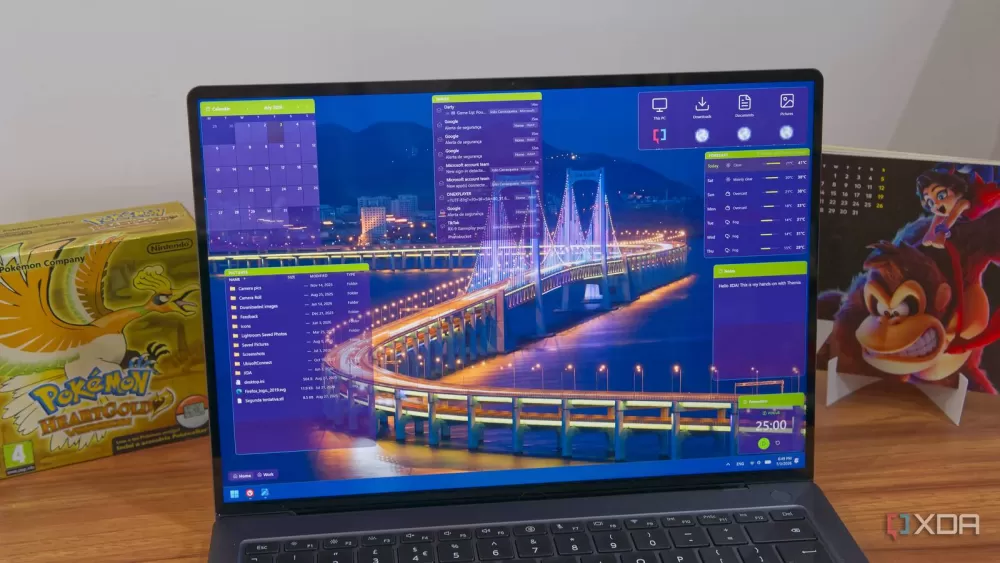
Why Windows’ desktop has been a space hog and how Themia finally changes the game
For three decades Windows has left precious screen real estate idle on the desktop. A new tool, Themia, reorganises icons, adapts resolution and even trims wallpaper, freeing up space without breaking habits.
Ever glance at your Windows desktop and feel like the whole thing is a giant, unused parking lot? You’re not alone. Since the early ’90s, Microsoft has gifted users a blank canvas that, oddly enough, never really gets used to its full potential.
Think about it: the default layout reserves a huge chunk of the screen for icons, even when you have only a handful. The taskbar, the Start button, the system tray—each of them eats away at the space you could be using for actual work. And don’t get me started on the wallpaper that’s just a static image, taking up memory without offering any functional benefit.
Enter Themia, a modest‑looking utility that claims to fix a problem that has lingered for thirty years. At first glance it feels like any other desktop‑organiser, but under the hood it does a few things most of us never considered.
First, Themia analyses how many icons you truly need on the screen. It then nudges the rest into a collapsible drawer that lives just out of sight. The result? A cleaner surface that still gives you instant access to your favourite shortcuts when you actually need them. The drawer slides out with a gentle animation—nothing flashy, just a subtle cue that you’re still in control.
Second, the app messes with the desktop resolution on the fly. It detects whether you’re using a high‑DPI monitor and, if necessary, scales down the icon grid so that each item occupies less pixel real‑estate. It’s the sort of tweak that used to require a deep dive into the Registry, now done with a single click.
Third, and perhaps the most surprising feature, is the wallpaper optimizer. Themia examines the image you’ve set, strips out any unnecessary colour data, and saves it in a compressed format that still looks crisp. In tests, users reported up to 15 % less RAM usage after the conversion—nothing earth‑shattering, but enough to matter on a machine already juggling dozens of background processes.
What makes Themia feel genuinely human‑centric is its reluctance to force a radical redesign. You can keep your existing layout, your custom shortcuts, even the quirky icons you’ve collected over the years. The app simply offers a gentler, more efficient way to live with them.
Of course, no tool is perfect. Some power users may find the drawer limiting if they prefer to scatter icons across the screen for quick visual scanning. Themia does allow you to disable the drawer entirely, but then you miss out on the space‑saving benefits. It’s a trade‑off, and the developers are transparent about it in the settings menu.
Overall, Themia feels like a long‑overdue palate cleanser for Windows desktops that have been over‑served with unused space. It doesn’t rewrite the OS, but it does rewrite the way you interact with a piece of it that has been, frankly, a bit sloppy for far too long.
If you’ve been wrestling with a cluttered screen or just curious about squeezing a few more pixels out of your monitor, give Themia a spin. It’s free, lightweight, and—most importantly—doesn’t demand you give up the habits you’ve built over the past three decades.
Editorial note: Nishadil may use AI assistance for news drafting and formatting. Readers can report issues from this page, and material corrections are reviewed under our editorial standards.