The Secret Powerhouse: Why Your CPU's Integrated Graphics Deserves a Second Look
- Nishadil
- February 08, 2026
- 0 Comments
- 4 minutes read
- 73 Views
- Save
- Follow Topic
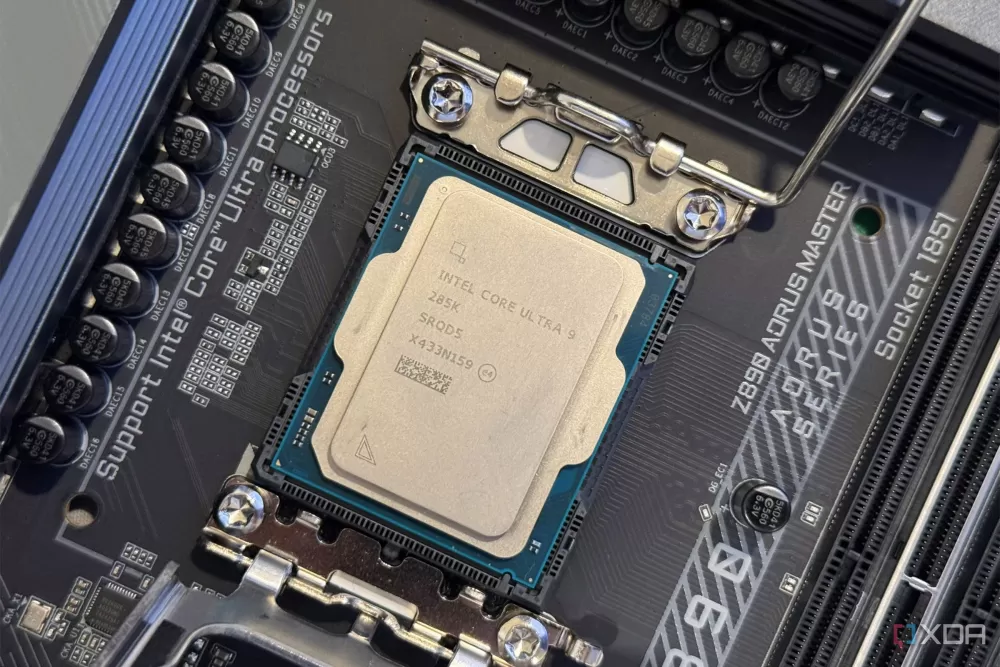
Don't Just Disable It! Unlocking the Unexpected Benefits of Your iGPU
Many PC users with a dedicated graphics card simply disable their CPU's integrated graphics. But hold on, you might be missing out on some genuinely useful features that can improve performance, save power, and even rescue you from tech headaches.
Alright, let's be honest. When you're building a gaming PC or upgrading a workstation with a shiny new dedicated graphics card (a dGPU), the first thing many of us do, almost instinctively, is head into the BIOS and switch off the integrated graphics (iGPU) that's baked into our CPU. It feels... unnecessary, right? Like carrying an extra umbrella when the sun's blazing. But what if I told you that disabling your iGPU might actually be a rookie mistake, and keeping it enabled could be a genuine game-changer?
It's a common misconception, a sort of 'out with the old, in with the new' mentality. You've got this powerful discrete card handling all the visual heavy lifting, so why bother with the humble iGPU? Well, prepare to have your mind, or at least your PC usage habits, gently nudged. That integrated chip isn't just for budget builds or for when your fancy GPU is taking a vacation. It's got some real tricks up its sleeve, even when paired with a beast of a dGPU.
First up, let's talk about power efficiency. Believe it or not, your dedicated graphics card, especially when idling or just handling basic desktop tasks, still sips a fair bit of power. Your iGPU, on the other hand, is a miser when it comes to energy consumption. By allowing your system to intelligently switch to the iGPU for light tasks – think web browsing, document editing, or just staring at your desktop – your power-hungry dGPU can go into a much deeper sleep state, or even practically shut down. This translates to lower power bills, less heat generated, and a quieter system. It’s like having a fuel-efficient hybrid mode for your PC.
Then there's the whole display situation. Ever found yourself needing just one more monitor connection than your dGPU offers? Or maybe you've got a weird legacy display that only works with a specific port type? Your motherboard often comes equipped with HDMI or DisplayPort outputs directly connected to your CPU's iGPU. Enabling it instantly gives you extra display outputs, expanding your multi-monitor setup possibilities without needing adapters or a new graphics card. It’s incredibly handy for those who like to spread out their digital workspace.
Now, for perhaps the biggest unsung hero, especially if you're rocking an Intel CPU: Intel Quick Sync Video. If you're into streaming, video editing, or simply transcoding videos (like converting a large 4K file for your phone), Quick Sync is an absolute revelation. It's a dedicated hardware encoder and decoder built right into your Intel iGPU that can chew through video tasks at incredible speeds, often outperforming both your CPU and even many dedicated GPUs in terms of raw efficiency and speed for these specific workloads. This means faster exports, smoother streams, and freeing up your CPU and dGPU for other tasks. It's not just a feature; it's a superpower for content creators and media enthusiasts!
Finally, consider the troubleshooting and redundancy aspect. Let's say, heaven forbid, your dedicated graphics card decides to throw a tantrum, or perhaps a driver update goes horribly wrong, leaving you with a black screen. With your iGPU enabled, you can simply plug your monitor into one of its ports, boot up, and have a working display. It's your PC's built-in spare tire, allowing you to diagnose problems, reinstall drivers, or just get basic functionality back without having to scramble for another GPU. It’s peace of mind, really.
So, next time you're in your BIOS, instead of reflexively disabling your iGPU, give it a moment's thought. There’s a good chance that humble chip is capable of far more than you ever imagined, offering genuine benefits that make your entire system more versatile, efficient, and robust. It's time to let your CPU's integrated graphics shine, not just in a pinch, but as a valuable partner in your computing setup.
Editorial note: Nishadil may use AI assistance for news drafting and formatting. Readers can report issues from this page, and material corrections are reviewed under our editorial standards.