Silence or Serenity? Demystifying iPhone's Do Not Disturb vs. Silent Mode
- Nishadil
- April 14, 2026
- 0 Comments
- 3 minutes read
- 29 Views
- Save
- Follow Topic
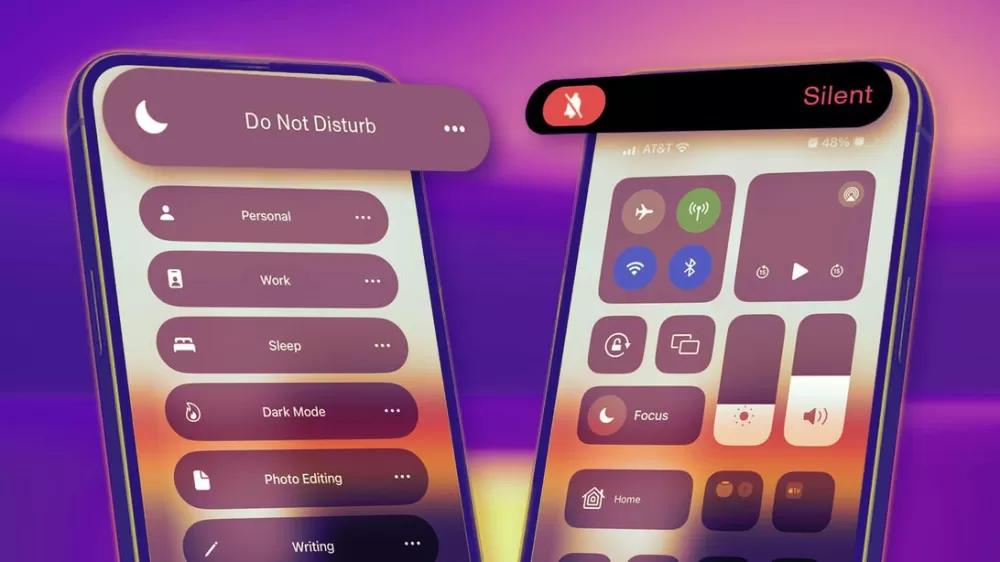
Do Not Disturb vs. Silent Mode: Understanding the Key Differences on Your iPhone
Ever wonder what the real difference is between silencing your iPhone and turning on Do Not Disturb? It's more than just a volume toggle; one aims for quiet, the other for genuine peace.
Ah, the modern dilemma: our iPhones, a source of connection and convenience, can also be a relentless fount of dings, buzzes, and notifications. We all crave a moment of peace, don't we? That's where Apple offers a couple of nifty solutions, but they're often lumped together in our minds, leading to a bit of confusion: the good old Silent Mode and the more sophisticated Do Not Disturb (now often referred to under the umbrella of 'Focus'). While both aim to quiet your digital companion, they go about it in subtly different, yet profoundly impactful, ways.
Let's kick things off with the simpler of the two: Silent Mode. Think of this as your quick, no-frills mute button. Most iPhones have that trusty physical switch on the left side, right above the volume buttons. A quick flick down, and boom – your phone goes silent. What does this mean, exactly? Well, your incoming calls, message alerts, and other notification sounds will be muted. No more embarrassing ringtones interrupting a movie or a quiet conversation. But here's the kicker: your phone will still vibrate, and those notifications will still light up your screen, showing up prominently for all to see. It’s perfect for those quick moments when you need quiet, like stepping into a meeting or a doctor's office, but you still want to be aware of what’s coming in, just without the noise.
Now, let's talk about Do Not Disturb, which has evolved quite a bit and is now a core part of the 'Focus' feature on newer iOS versions. This isn't just about silencing your phone; it's about silencing the world as far as your iPhone is concerned. When you activate Do Not Disturb, it does more than just mute sounds. It actively suppresses notifications. This means incoming calls, messages, and app alerts won't make a sound, they won't vibrate your phone, and critically, they won't even light up your screen or appear on your lock screen. Instead, they're quietly shunted off to your Notification Center, waiting patiently for you to check them when you're ready.
The real power of Do Not Disturb (or Focus, as it's now known) lies in its customizability. You can set it on a schedule – perhaps every night from 10 PM to 7 AM – ensuring uninterrupted sleep. You can allow calls from specific contacts, like family members, or permit repeated calls (a second call from the same number within three minutes) to break through, just in case of an emergency. There are even dedicated Focus modes like 'Driving' or 'Sleep,' which intelligently detect your activity and automatically tailor your notification experience. It's about creating a truly undisturbed environment, allowing you to concentrate, sleep, or simply enjoy some screen-free time without any digital distractions vying for your attention.
So, to sum it all up, the difference boils down to this: Silent Mode is a basic mute for sounds, letting vibrations and visual alerts through. Do Not Disturb, on the other hand, is a comprehensive digital detox, muting sounds, vibrations, and suppressing visual notifications, all while offering granular control over who or what can actually reach you. One is a volume adjustment; the other is a thoughtful, personalized quiet zone. Understanding this distinction empowers you to choose the right tool for the right moment, bringing a little more calm into your always-on world.
Editorial note: Nishadil may use AI assistance for news drafting and formatting. Readers can report issues from this page, and material corrections are reviewed under our editorial standards.